 Notifs
It watches the screen so you don’t have to
Notifs keeps an eye on what is on your iPhone screen. When something new appears, it makes the sound you picked and buzzes the number of times you asked — so you can look away and still know.
Coming to the App Store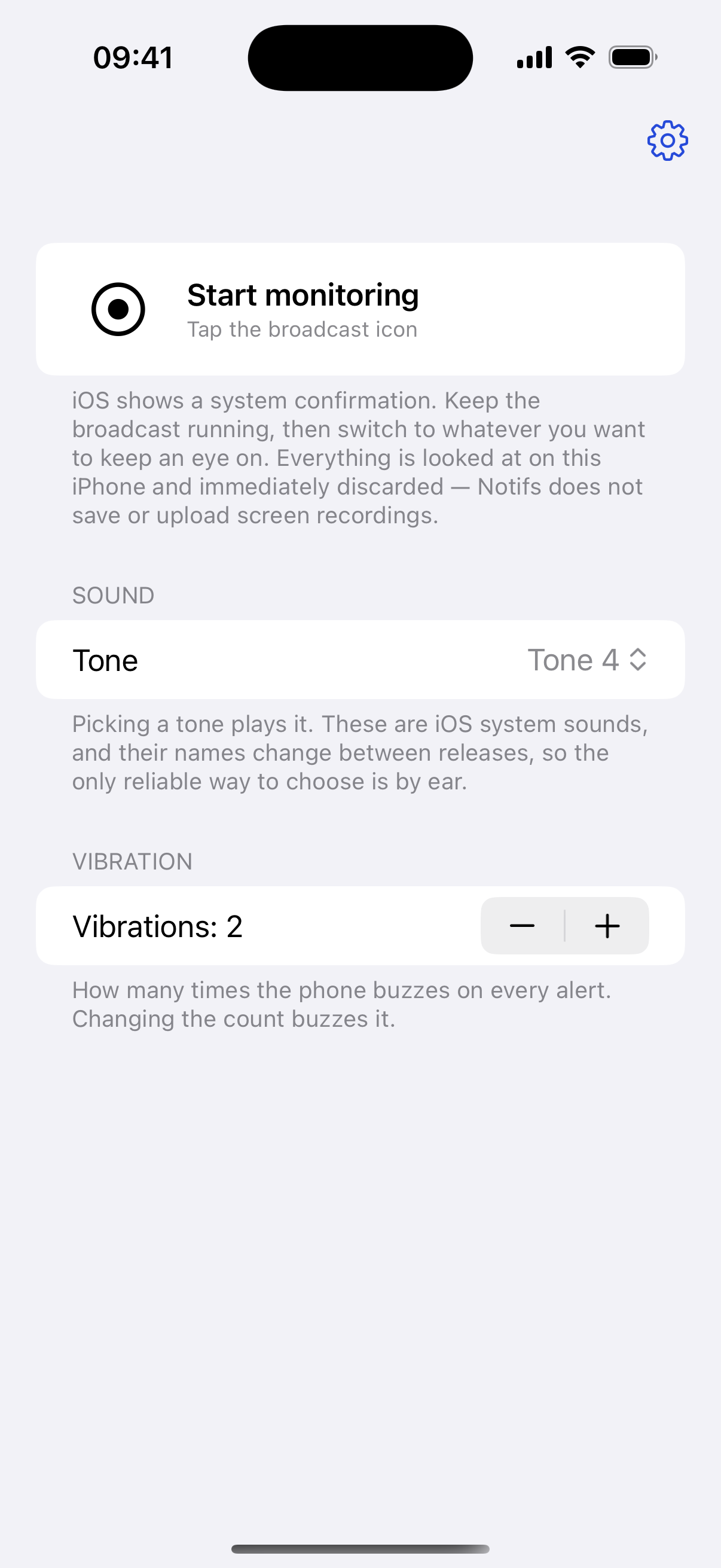
How it works
Three steps, then you can forget about it
- Start the screen broadcast. iOS asks you to confirm and shows a recording indicator for as long as it runs.
- Switch to whatever you want to keep an eye on. Notifs keeps working behind it.
- Look away. When something new turns up on screen, your phone sounds and buzzes.
Settings
Two of them, and that is the whole app
Tone
Eight iOS system sounds. Picking one plays it, because their names change between iOS releases and the only reliable way to choose is by ear.
Vibrations
One to four pulses. Changing the count buzzes it, so you feel the choice before you have to rely on it.
Privacy
Nothing leaves your iPhone
What is on screen is looked at in memory and discarded immediately. Notifs does not record video, does not upload anything, and has no account, no analytics and no tracking. There is no server for it to send anything to.
Pricing
Free to use, and cheap to unlock
Watching always runs. Without a subscription five alerts a day make a sound; after that it is still shown on the lock screen, silently, and the count resets at midnight.
$49.99 / year
Save 16% — $9.89 less than paying monthly
Notifs Pro, yearly
Unlimited alerts. The first three days are free and nothing is charged until they are over.
$4.99 / month
Notifs Pro, monthly
Unlimited alerts, every day. Cancel whenever you want.
Free
Five alerts a day
Everything works, with a sound on the first five alerts of each day.